




Price: [price_with_discount]
(as of [price_update_date] – Details)
[ad_1]
Product Description


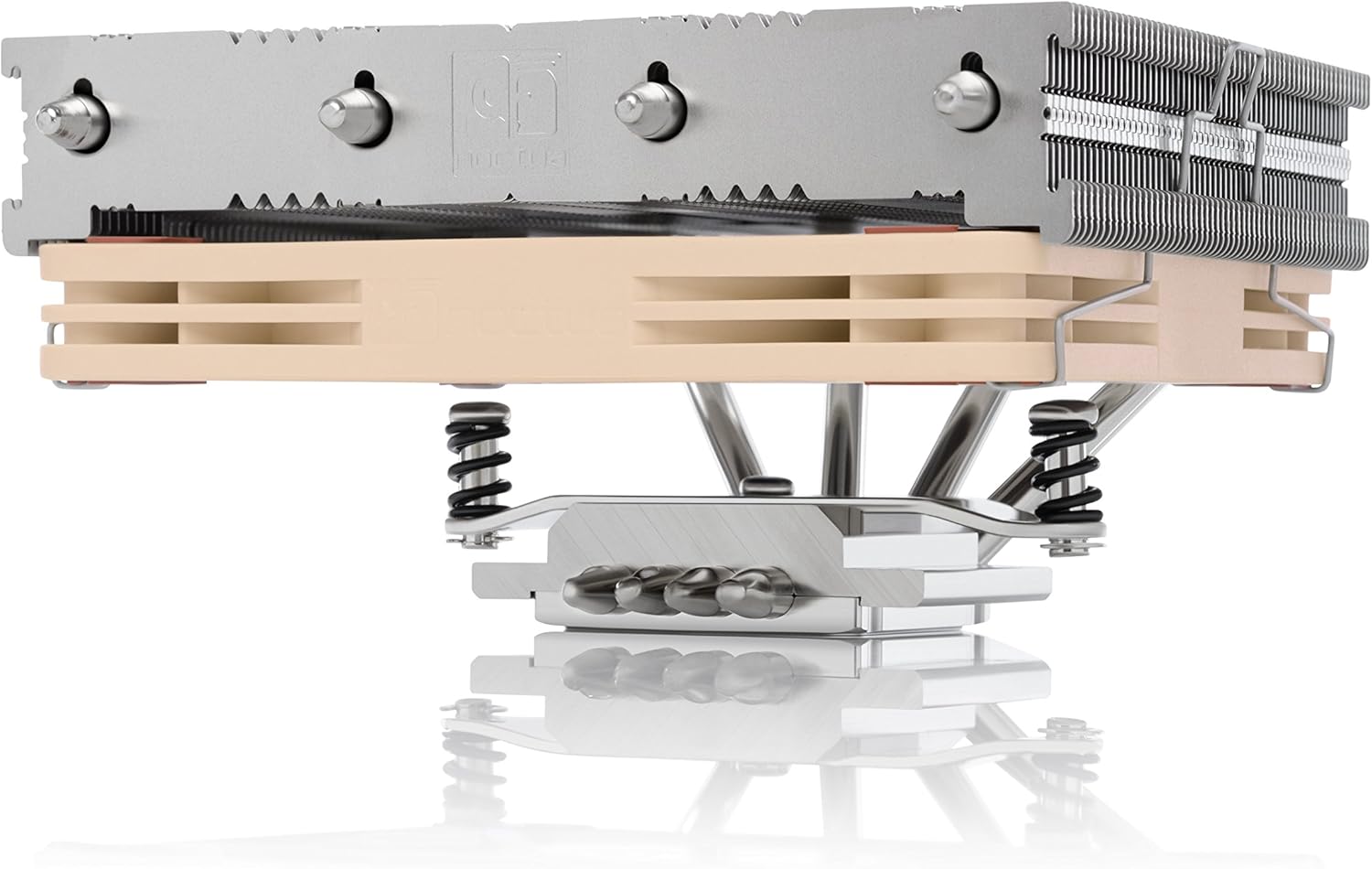
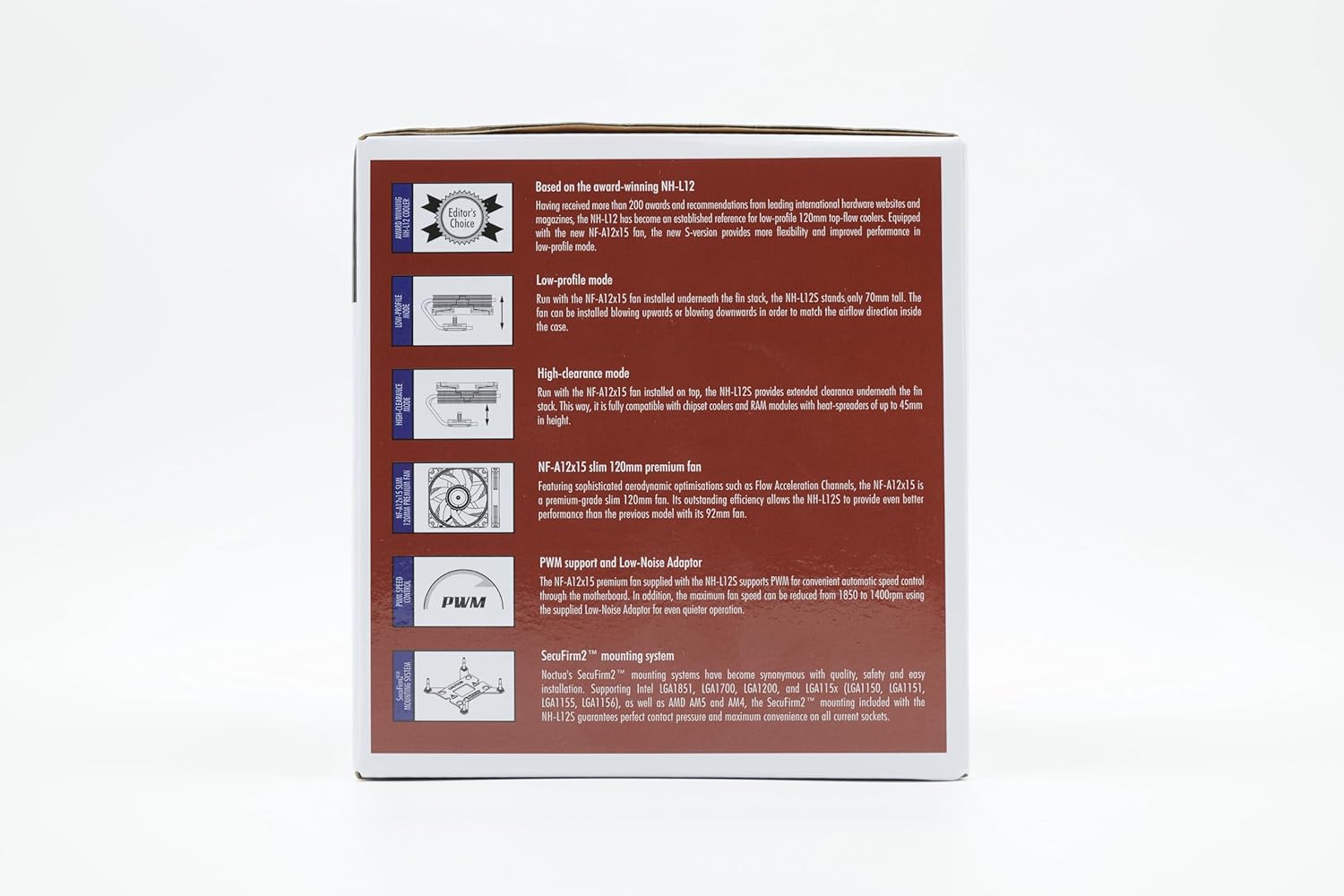
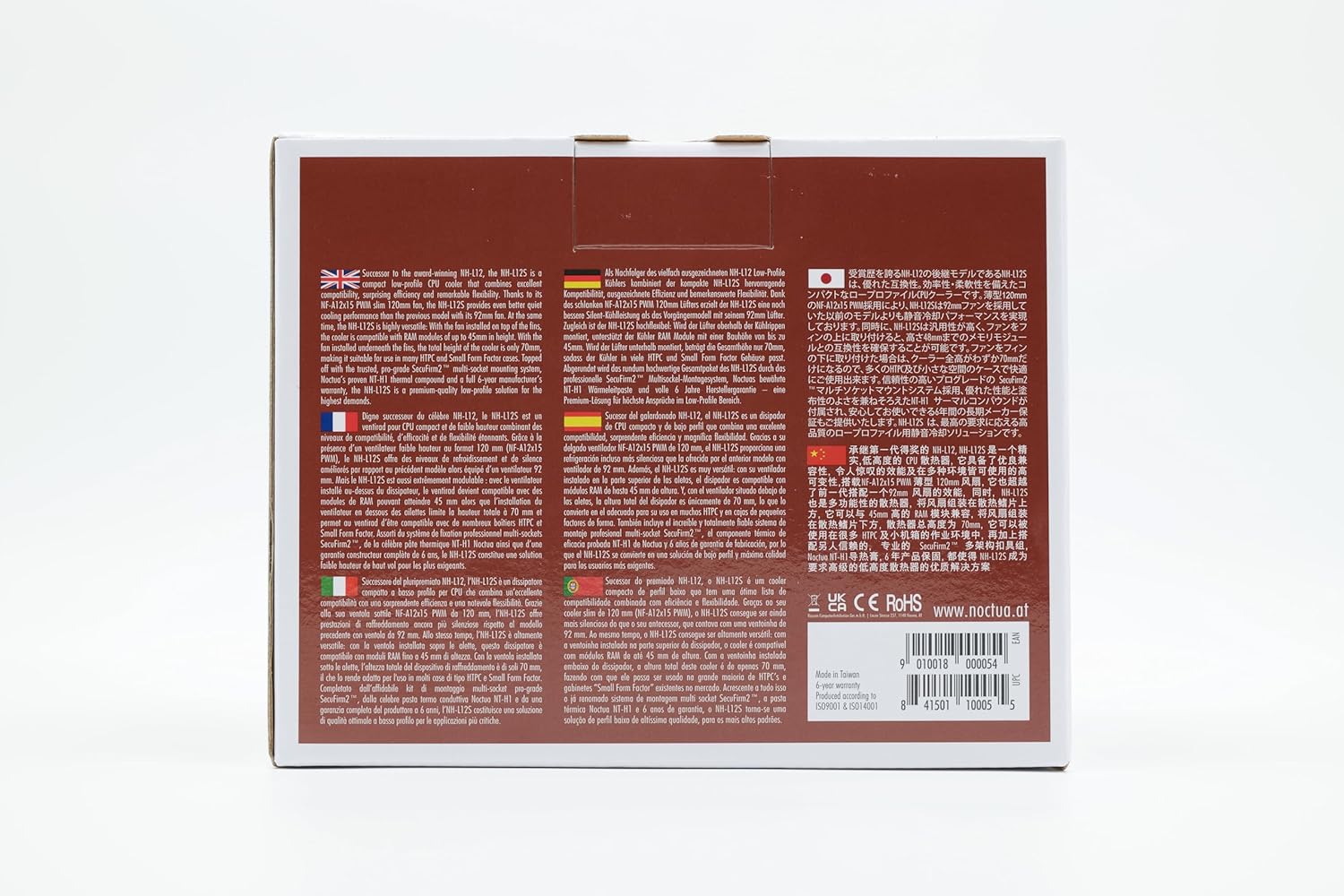
Successor to the popular NH-L12, the NH-L12S is a compact low-profile CPU cooler that combines excellent compatibility, surprising efficiency and remarkable flexibility. Thanks to its NF-A12x15 PWM, slim 120mm fan, the NH-L12S provides even better quiet cooling performance than the previous model with its 92mm fan. At the same time, the NH-L12S is highly versatile: with the fan installed on top of the fins, the cooler is compatible with RAM modules of up to 48mm in height. With the fan installed underneath the fins, the total height of the cooler is only 70mm, making it suitable for use in many HTPC and Small Form Factor cases. Topped off with the trusted, pro-grade SecuFirm2 multi-socket mounting system and Noctua’s proven NT-H1 thermal compound, the NH-L12S is a premium-quality low-profile solution for the highest demands.

Low-profile mode
Run with the NF-A12x15 fan installed underneath the fin stack, the NH-L12S stands only 70mm tall. The fan can be installed blowing upwards or blowing downwards in order to match the airflow direction inside the case.

High-clearance mode
Run with the NF-A12x15 fan installed on top, the NH-L12S provides extended clearance underneath the fin stack. This way, it is fully compatible with chipset coolers and RAM modules with heat-spreaders of up to 48mm in height (vs. 35mm in low-profile mode).

NF-A12x15 slim 120mm premium fan
Featuring sophisticated aerodynamic optimisations such as Flow Acceleration Channels, the NF-A12x15 is a premium-grade slim 120mm fan. Its outstanding efficiency allows the NH-L12S to provide even better performance than the previous model with its 92mm fan.

NT-H1 thermal compound
Noctua’s much-acclaimed NT-H1 is a pro-grade TIM solution that provides minimum thermal resistance, excellent ease of use and outstanding reliability. Chosen again and again by overclockers and enthusiast users worldwide, it has established itself as a benchmark for premium-quality thermal compounds.

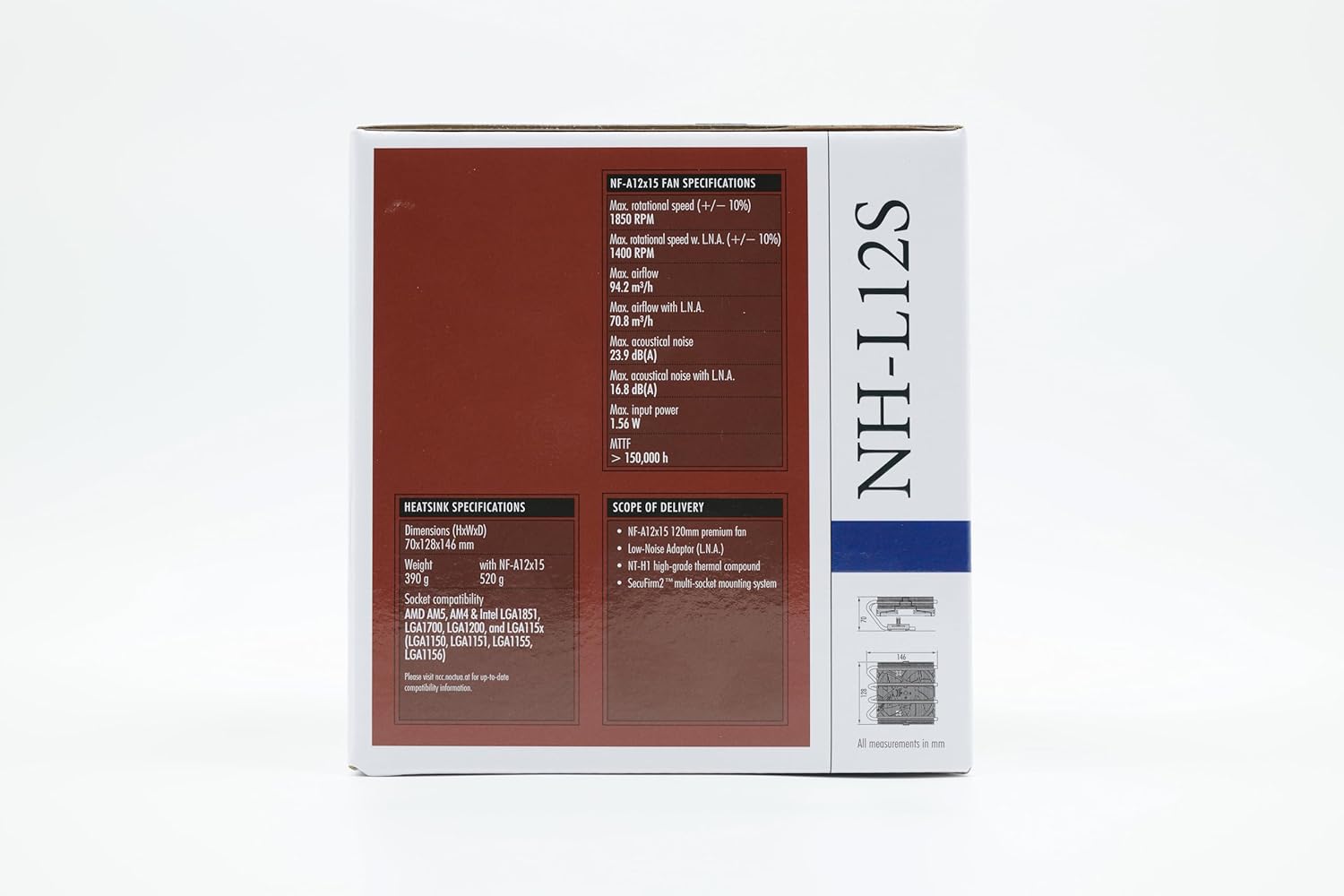
Measurements Height (without fan): 70 mm Width (without fan): 128 mm Depth (without fan): 146 mm Height (with fan): 70 / 88 mm Width (with fan): 128 mm Depth (with fan): 146 mm Weight (without fan): 390 g Weight (with fan/s): 520 g Materials
Copper (base and heat-pipes), aluminium (cooling fins), soldered joints & nickel plating
Cooler Specifications Scope of delivery
NF-A12x15 PWM premium fanNA-RC7 Low-Noise Adaptor (L.N.A)NT-H1 high-grade thermal compoundSecuFirm2 mounting kitNoctua metal case-badge Fan compatibility
120x120x15, 120x120x25

Please Note:
The NH-L12S is a highly compact, quiet low-profile cooler designed for use in small form factor cases and HTPC environments. While it provides first-rate performance in its class, it is not suitable for overclocking and or CPUs that create high heat loads.
Add To Basket
Customer Reviews
4.6 out of 5 stars 1,803
4.7 out of 5 stars 154
4.5 out of 5 stars 578
Price
£76.79£76.79
— no data
— no data
LGA1851, LGA1700
✓
✓
✓
LGA1200, LGA115x (LGA1150, LGA1151, LGA1155, LGA1156)
✓
✓
✓
LGA20xx Square ILM
with NM-i20xx with NM-i20xx with NM-i20xx
LGA20xx Narrow ILM
X X X
LGA4189
X X X
LGA4677
X X X
AM5
✓
✓
✓
AM4
✓
✓
✓
TR4, SP3, sTRX4, sWRX8
X X X
sTR5, SP6
X X X
Compact, premium-quality low-profile CPU cooler (70mm total height)
Further improved successor to the award-winning NH-L12, ideal for ITX and HTPC systems
Highly optimised NF-A12x15 120mm fan with PWM support and Low-Noise Adaptor for automatic speed control and ultra-quiet operation
Includes high-end NT-H1 thermal paste and SecuFirm2 mounting system for easy installation on Intel LGA1851, LGA1700, LGA1200, LGA115x and AMD AM5 & AM4 (offset mounting option for best efficiency)
Renowned Noctua quality backed up by 6-year manufacturer’s warranty, deluxe choice for Intel Core Ultra (e.g. 290K, 270K, 250K) and AMD Ryzen (e.g. 9950X3D, 9900X3D, 9800X3D, 9700X, 9600X)
Customers say
Customers find the CPU cooler quiet, well-built, and effective at temperature control, with one customer noting it cools a 125-watt FX 8350. The installation process is straightforward, and they appreciate its low profile design with excellent clearance. While many customers consider it worth the money, opinions on value for money are mixed.
[ad_2]
12 reviews for Noctua NH-L12S, Premium Low Profile CPU Cooler with Quiet 120mm PWM Fan (Brown)
Add a review


Cool, quiet, quality. Cools a 125 watt FX 8350
Background:I needed to resurrect and cool an old AMD FX 8350 (No laughing) 125watt 8 core processor in a small case under my TV with poor airflow. M-atx board too.I needed a low height and upward firing of the heat. This fitted the bill, not the cheapest option though.Fitting:It will fit am3, am4, fm2 and most recent Intel sockets. All mounts provided and easy instructions.Fitting was a case of finding which direction to place it. One direction the heat pipes caught the 1st ram module.Turning 90 degrees solved that. (Different mounting brackets depending on which way round you place it).It mounts on the backplate you already have for your motherboard (AMD).With the fan under the heatsink, firing upward, it clears my Hyper Fury X by 2mm! Anyone with larger ram with bigger heatsinks will probably need the fan above firing down.It runs silently, literally and I haven’t got the chip over 50 degrees with stress tests!!The chip runs at 4ghz, I did overclock briefly to 4.2ghz and it stayed at 50 degrees and still quiet.My tips:I didn’t use the Stepdown cable, I just let the board control it.It comes with Noctua paste which I used as it appears to be better than my mx-4 by what I read.I found a long screwdriver was better than the one provided.I also turned off the low fan warning in bios as it turned too slowly on startup making my pc think it wasn’t working.Summary:I’m converted! Better than expected, cooler, quieter. Quality.
A Quiet, Almost Silent Cooler
I don’t write reviews often but I felt this cooler was worthy of one. It arrived in good condition in very well designed packaging. There were three different instruction manuals for different socket types respectively, thermal paste was also included! Mounting system was very simple and effective, screwdriver included. Fan is very quiet even without low noise adapter, and almost silent with the adapter! Temperatures are good, with my i5 3570K @4Ghz (Boost to 4.4GHz), around 30C idle and up to ~65C under load (although this is with low noise adapter). My only gripe is that the fan mounting wires (if you choose to switch to high clearance layout) can be difficult to attach without damaging the heatsink fins.All in all a great cooler and well worth the money!
Excellent CPU Cooler
It is an excellent cooler; it reduced my gaming temps from 85 to 65. The only thing to bear in mind is it is a large cooler. I have an ITX-build and fitting it was challenging but I guess most would have been in the restrictive environment. It was worth it as it is very effective and silent
Brilliant low profile Cooler
Honestly so glad I purchased this CPU cooler. It has been a night and day difference compared to my old stock cooler that came with the case. It was starting to get too noisy to bare and wasn’t sufficient enough to keep my CPU cool aswell. Just on PC start up the fan would run at about 1950 RPM with an average CPU temperature of about 65°C.With this Noctua cooler, it is now much quieter, running at about 650-700 RPM on start up and it literally halfed the CPU temperature which is now running at about 32°C. Made such a clear difference and would highly recommend.
A solid cooler that gets the job done quietly
I recently picked up the Noctua NH-L12S for my compact build and overall I’m pretty impressed with this little guy. First off, it’s super low profile which is exactly what I needed considering my case has limited vertical space. It fits snugly and clears my RAM without any issues.The installation was straightforward. I appreciated the mounting hardware that came with it—it felt very well thought out. The overall build quality is top-notch too. Noctua really delivers with their design aesthetic, even if the brown and beige color scheme isn’t for everyone.Now let’s talk about performance. I’ve been running a Ryzen 5 and during regular usage, the NH-L12S keeps temps pretty low, even under load. I’ve noticed it runs incredibly quietly. I mean, when I’m gaming or doing some intense work, I can hardly hear it running. The 120mm PWM fan really does its job well.But I should mention a couple of downsides. If you’re expecting this cooler to handle heavy overclocks, you might want to look for something bigger or beefier. It does have its limits with maximum thermal dissipation. Also, the fan isn’t as powerful as some larger coolers, so when the summer heat kicks in, you might see some higher temps than you would with a more robust option.Overall, for a low profile cooler, I’d say the Noctua NH-L12S is a great choice for anyone looking for great performance without the noise. Just keep in mind its cooling limits if you’re planning to push your CPU hard.
Amazing!
I bought this to replace a corsair h100i v2 to save space and weight. It’s a he’ll of a lot quieter. It’s barely audible and keeps temps low. I haven’t felt this good about a purchase in a long time. Obviously we’ll made and quality parts. Well worth it.
works great with Ryzen 7600X
I am using this cooler with a 7600X in a Ghost Raw S1 case, it works great, I put in an negative undervolt using the curve optimizer on the cpu, which allows the CPU to run at around 5.3 Ghz at 95 degrees(which is the standard temp for 7000 series). I tried setting thermal limit to 85 degrees, but the CPU still hits 95 when doing video encodes.When gaming, the temperature is usually around 75 degrees.Installation on an Asus ROG strix B650E I motherboard could only be done with the heapipes on the VRM side, the good thing with this cooler is that I can orient it in any direction, and I tried it out without paste to see which way it will fit prior to pasting. Overall it fits quite well with good clearance for my corsair vengance RAM, the non RGB version.I installed the fan on the underside as I need it that way for the case.Overall I am happy with the result, it does not need a special backplate for AMD boards and the installation is super easy.
I picked up this cooler to replace an H80i v2 which failed on me after just a few months in my ITX 9700K Solidworks PC build. I figured I’d go back to old reliable air cooling since it seems like other folks have had similar issues with that particular AIO.First of all, the packaging design for this cooler deserves an award. I’ve bought Noctua fans before, but this was my first CPU cooler from them – all the packaging (aside from a couple plastic bags for mounting hardware) is beautifully folded cardboard that snugly keeps everything in its proper place. It would have been easy for Noctua to just make a few styrofoam molds to hold this thing, but they took the time to come up with this lovely origami-esque solution that is functional and environmentally friendly. Nice job guys!All of the hardware is great quality – mostly metal aside from a couple plastic spacers. The fan comes pre-installed in the most compact configuration (you can put it on top for better performance, but it might not fit in many ITX builds) and there are several instruction booklets (again, nice quality, for the different chipsets. Compared to other air coolers I’ve used, the mounting for this is a breeze – the LGA115X backplate has the feed-through standoffs press-fit so you just sort of pop it through the back and the rest of the installation is quite straightforward. If you’re using this for AMD or a less common Intel chipset, the installation is a little more involved but probably not too bad. Additionally, there is a little metal Noctua decal “sticker” included which is the nicest logo swag I’ve ever gotten with a PC component (and I have built some very high end PCs!).The build is in a Silverstone SG13 case with a Silverstone SFX PSU. The CPU is an Intel 9700K running at stock settings with 2 sticks of 16GB Crucial 2666 spreaderless RAM. There is about 3/16″ clearance between the top of this cooler and the PSU (PSU is flipped such that the intake fan is directly over the CPU heatsink) and about 1/8″ between the CPU fan and the RAM. I put an additional Noctua 120mm fan on the front of the case for additional airflow.As far as cooling performance goes, I was very pleasantly surprised. Keep in mind, this is not a gaming build. This is a Solidworks PC that I use for moderate CAD work (about 1500 parts in my most complex assembly). Probably most importantly, when under typical loads, there is not a big, power-hungry GPU dumping a bunch of heat into my little ITX box – there is a tiny little P400 workstation card which is mostly there to provide multi-monitor support. That said, at an ambient temperature of nearly 90F (in my top floor California apartment with no AC) I was able to run the Solidworks benchmark as well as mess around with my largest assembly without every seeing a core temperature go above 70C. All the while, core clocks never dropped below 4700MHz. When I threw Prime95 at it, The core clocks evened out to around 4400MHz (130W power draw according to Core Temp) and temperatures hovered in the low 70’s with the max I ever saw at 76C. Again, this is in a stuffy 90F ambient apartment.I can’t provide measurements for noise levels, but I will say that, under moderate loading with all BIOS fan settings set to “Standard” this cooler cools my 9700K almost silently. Yes, when Prime95 is running and all 8 cores are under 100% load, it gets a bit louder, but not nearly as loud as some blower GPUs I’ve heard in gaming builds. In an office setting where the ambient temperature will be almost 10C below what I was testing at, I would never worry about my CPU overheating or the fans blowing so loudly that they bother my neighbors.This product receives my wholehearted recommendation – great job Noctua!
Excelente disipador, puede con un 14600K sin problemas. El único tema es que su compatibilidad en itx es limitada ya que las motherboards más recientes tienen heatsink de vram muy altos, para esos casos es más recomendado la versión ghost.
Prodotto veramente valido, adatto per case di dimensioni medie e piccole. Il rumore della ventola non si sente nemmeno a regime massimo di funzionamento. Le temperature sono ben controllate, montato sul nuovo socket 1200 per un i7-10700K, raggiunge una temperatura massima che fluttua i 70 e gli 80 gradi mantenendo il clock dinamico del turbo boost technology.Utilizzando il processore al massimo del boost fisso a 5.1GHz, le temperature salgono oltre i 90°, in tal caso è meglio montare il modello NH-U12A o NH-U12S che sono piu’ performanti.Il montaggio è semplice, ma serve un po’ di manualità. La parte più complessa è il fissaggio del radiatore ai supporti, ci vuole un po’ di pazienza per centrare e fissare le viti di entrambi i lati.
Easy install, very low. Will fit in a 2U 19″ PC case (if they risers of the board are not too high). I used it in a Inter-Tech 2U-2504. Cools pretty good on a modern I3.Also very silent.
I’ve been using Noctua coolers and fans for years, and the NH-L12S 70mm Low Profile CPU Cooler is yet another excellent addition to my NAS build. I chose this cooler primarily for its low-profile design, which fits perfectly into my custom 3D-printed NAS case, and of course, Noctua’s reputation for high-quality and quiet components.Performance:Cooling Efficiency: The NH-L12S performs just as expected – great cooling with quiet operation. For the best results, I recommend replacing the thermal paste that comes with the cooler with a PTM7950 thermal pad, as it further enhances thermal conductivity.Noise Level: The 120mm PWM fan is incredibly quiet. In fact, my hard drives are louder than this cooler. It truly lives up to Noctua’s promise of silent operation.Installation:Mounting Process: The installation was smooth, with clear, step-by-step instructions. I had no issues mounting it on my 1700 LGA socket, and it fit perfectly into the build.Clearance: There were no clearance issues with other components (like RAM, GPU, or PSU). The cooler’s ability to rotate and install in different orientations ensures flexibility in compact builds.Build Quality:Premium Design: As expected, Noctua’s materials and design are top-notch. The cooler feels sturdy, and the fan quality is consistent with the brand’s reputation.Packaging:Protection During Delivery: The packaging was more than adequate to protect the cooler during shipping.Included Accessories: The cooler includes all necessary mounting brackets and installation kits for both AMD and Intel setups, making it versatile for various builds.Value for Money:For anyone looking for a reliable, quiet, and efficient cooler, the Noctua NH-L12S is a proven solution. Despite its price, the quality and performance justify the cost.Final Verdict:I highly recommend the Noctua NH-L12S for anyone building a compact system or NAS. It fits perfectly, performs efficiently, and keeps your CPU cool without making any noise. As always, Noctua delivers exceptional products that are built to last.